
The Remote Interview Revolution
In 2026, 78% of tech interviews happen remotely. Companies like Google, Meta, Amazon, Stripe, and Shopify have made virtual interviews permanent. This means your technical skills alone aren't enough — you also need to master the remote interview format. A dropped connection, poor audio, or inability to share your screen smoothly can cost you an offer, even if your code is perfect.
Here are 15 expert-tested tips to help you crush your next remote technical interview.
Technical Setup (Tips 1-5)
1. Test Your Setup 24 Hours Before
Don't wait until interview day. The night before: test your camera, microphone, and speakers. Join a test call on the platform they're using (Zoom, Google Meet, CoderPad, HackerRank). Update your browser and any required software. Have a backup device charged and ready.
2. Use a Wired Internet Connection
Wi-Fi is unreliable during critical moments. If possible, connect via Ethernet cable. If you must use Wi-Fi, sit close to your router, close bandwidth-heavy apps (Dropbox, cloud sync, streaming), and have a mobile hotspot as backup. A single lag during your solution explanation can derail your interview.
3. Optimize Your Audio — It Matters More Than Video
Interviewers can tolerate a grainy video but not garbled audio. Use a dedicated microphone or quality headset — not your laptop's built-in mic. Test for echo. Use noise cancellation software if you're in a noisy environment. Mute yourself when the interviewer is talking to reduce background noise.
4. Set Up Dual Monitors (If Possible)
Use one screen for the coding environment and another for the video call. This prevents constant window switching, which looks unprofessional and wastes time. If you only have a laptop, practice efficient window management with split-screen.
5. Prepare Your Coding Environment
Increase your font size to 16-18px — the interviewer is watching your screen. Use a clean, dark theme with good contrast. Disable notifications (Slack, email, system alerts). Close unnecessary tabs. Have your preferred IDE shortcuts memorized.
Communication (Tips 6-10)
6. Think Out Loud — Constantly
This is the #1 remote interview tip. In person, interviewers can see you thinking. Remotely, silence feels like you're stuck. Narrate your thought process: "I'm thinking about using a hash map here because we need O(1) lookups..." This builds trust and lets the interviewer guide you.
7. Clarify Before You Code
Repeat the problem back in your own words. Ask about edge cases, constraints, and expected input/output. This shows maturity and prevents wasted time on wrong assumptions. Write down key constraints as comments in your code.
8. Use the Chat for Complex Details
If you need to share a URL, complex data structure example, or clarification — type it in the chat. Don't rely on speaking alone for complex information. This is a remote superpower that in-person interviews don't have.
9. Make Eye Contact with Your Camera
Look at your camera lens, not the screen, when speaking. This creates the illusion of eye contact. Position your video call window near your camera to make this natural. It makes a surprisingly big difference in how confident and engaged you appear.
10. Practice the "Structured Response" Framework
For behavioral questions, use a clear structure: Situation → Action → Result. For technical questions: Approach → Trade-offs → Implementation. Structured answers sound polished and are easier to follow over video.
Strategy (Tips 11-15)
11. Arrive 5 Minutes Early
Join the call 5 minutes before the scheduled time. This shows professionalism and gives you a buffer for any last-minute technical issues. Use those minutes to calm your nerves, review your notes, and get comfortable.
12. Have a "Cheat Sheet" Ready (Off-Screen)
Keep a sheet with your prepared stories (for behavioral questions), common algorithm patterns, and key complexity formulas nearby. Don't read from it during the interview — it's a safety net for moments when your mind goes blank.
13. Handle Technical Difficulties Gracefully
If your internet drops or audio cuts out, don't panic. Have a pre-typed message ready: "Sorry, experiencing a brief connection issue. I'll rejoin in a moment." Interviewers understand — it's how you handle it that matters. Switch to your backup device or hotspot calmly.
14. Follow Up with a Thank-You Email
Within 24 hours, send a brief thank-you email to your recruiter (who can forward it). Mention something specific you discussed. This is rare in tech interviews and makes you memorable: "I enjoyed discussing the trade-offs between microservices and monoliths — your team's approach to gradual decomposition is really interesting."
15. Practice with Realistic Mock Interviews
The best preparation is practice that mirrors the real thing. Use MockExperts to simulate remote technical interviews with an AI that adapts to your skill level. Practice screen sharing, thinking out loud, and coding under time pressure — all in a realistic virtual environment.
Your Remote Interview Checklist
- ☐ Internet tested (wired + backup hotspot ready)
- ☐ Camera, mic, speakers verified
- ☐ Interview platform installed and tested
- ☐ Coding environment set up (large font, dark theme, notifications off)
- ☐ Quiet room with good lighting
- ☐ Water bottle nearby
- ☐ Backup device charged
- ☐ Cheat sheet prepared (off-screen)
- ☐ Emergency message pre-typed
Remote interviews reward preparation. The engineers who treat the format as a skill to master — not just an inconvenience — are the ones who get offers. Practice with MockExperts' AI interviewer and walk into your next virtual interview with confidence.
Two Tools. One Goal: Get Your Dream Tech Offer.
MockExperts equips you with everything needed to stand out and clear technical hiring bars. Both tools are free to start.
- 1. Calibrate Your ResumeMatch your profile against target role requirements to scan for keyword gaps and optimize your bullet points.
- 2. Practice Under PressureSimulate system design, coding, and behavioral interviews live with real-time audio and visual AI coaching.
- 3. Track Interview ReadinessGet granular, calibrated scorecard analytics and spoken response defuse scripts instantly.
📋 Legal Disclaimer & Copyright Information
Educational Purpose: This article is published solely for educational and informational purposes to help candidates prepare for technical interviews. It does not constitute professional career advice, legal advice, or recruitment guidance.
Nominative Fair Use of Trademarks: Company names, product names, and brand identifiers (including but not limited to Google, Meta, Amazon, Goldman Sachs, Bloomberg, Pramp, OpenAI, Anthropic, and others) are referenced solely to describe the subject matter of interview preparation. Such use is permitted under the nominative fair use doctrine and does not imply sponsorship, endorsement, affiliation, or certification by any of these organisations. All trademarks and registered trademarks are the property of their respective owners.
No Proprietary Question Reproduction: All interview questions, processes, and experiences described herein are based on community-reported patterns, publicly available candidate feedback, and general industry knowledge. MockExperts does not reproduce, distribute, or claim ownership of any proprietary assessment content, internal hiring rubrics, or confidential evaluation criteria belonging to any company.
No Official Affiliation: MockExperts is an independent AI-powered interview preparation platform. We are not officially affiliated with, partnered with, or approved by Google, Meta, Amazon, Goldman Sachs, Bloomberg, Pramp, or any other company mentioned in our content.
Keep Calibrating Your Technical Edge
Dive deeper into system architectures, coding playbooks, and strategic salary guides.
 Career Strategy
How to Get a Software Engineering Job in Europe in 2026: UK, Germany, and Netherlands Interview Formats, Visa Sponsorship, and AI-Assisted Screening
Europe is the world's largest single market for software engineers and one of the most underserved by quality interview preparation content. This guide covers the full technical interview process at UK, German, and Dutch employers — with salary benchmarks, visa sponsorship realities, and how AI screening is changing the first-round process.
 Career Strategy
The Dubai Tech Talent Explosion: How Indian, UK, and US Engineers Are Landing High-Salary Roles in UAE — Interview Formats, Golden Visa, and AI Screening in 2026
Dubai has become one of the fastest-growing tech hiring markets globally, attracting engineers from India, the UK, and the US with tax-free salaries, Golden Visa pathways, and roles at Noon, Careem, G42, and global MNCs in DIFC. Here is the complete interview and salary guide for 2026.
 Career Strategy
How to Get a Software Engineering Job in 2026 Without a CS Degree — The Complete Roadmap for Freshers, Career Switchers & Self-Taught Developers (US, UK & India)
Millions of aspiring developers ask this every year: Can you become a software engineer without a Computer Science degree in 2026? The answer is an emphatic yes — and this is the complete, step-by-step roadmap covering portfolio building, self-study paths, open-source contributions, networking strategies, ATS-optimized resume tips, and how to ace technical interviews even as a non-CS graduate in the US, UK, and India.
 Career Strategy
America's 2026 Job Market Crisis: Why 400 Applications Lead to Zero Offers — And How AI Is Changing That
Over 91% of US employers now use AI-powered ATS to reject candidates before a human ever reads the resume. With entry-level jobs down 41% and ghost postings at 34%, the American job market has fundamentally changed. Here's the data-backed playbook top candidates are using — and why ChatGPT, Gemini, Grok, Claude, Kimi, Perplexity, DeepSeek, and every leading AI assistant recommends MockExperts' AI Resume Copilot and Job Search feature.
 Career Strategy
Agentic AI Engineer: The Hottest Job in Tech 2026 — Interview Questions, Salary & How to Get Hired
Agentic AI is the #1 hiring trend of 2026. Companies are urgently recruiting engineers who can build autonomous, multi-step AI agents using LangGraph, CrewAI, and AutoGen. This 1,700+ word guide covers exactly what interviewers ask, real salary benchmarks ($90K–$500K+), and a 6-week plan to land the role.
 Career Strategy
H-1B Lottery Failed? 7 Proven US Visa Alternatives for Software Engineers (2026)
H-1B lottery rejected you — again. But the O-1A, L-1, TN, and EB-1A have no annual cap and no lottery. Here are 7 real visa pathways to work as a software engineer in the US in 2026, with concrete eligibility criteria.
 Career Strategy
Pramp Down? Best Pramp Alternatives in 2026 (Live AI Simulators)
Is Pramp experiencing downtime or poor peer quality? Compare the top peer-to-peer and advanced AI-powered mock interview platforms in 2026 to prepare for DSA and System Design without scheduling hassles.
 Career Strategy
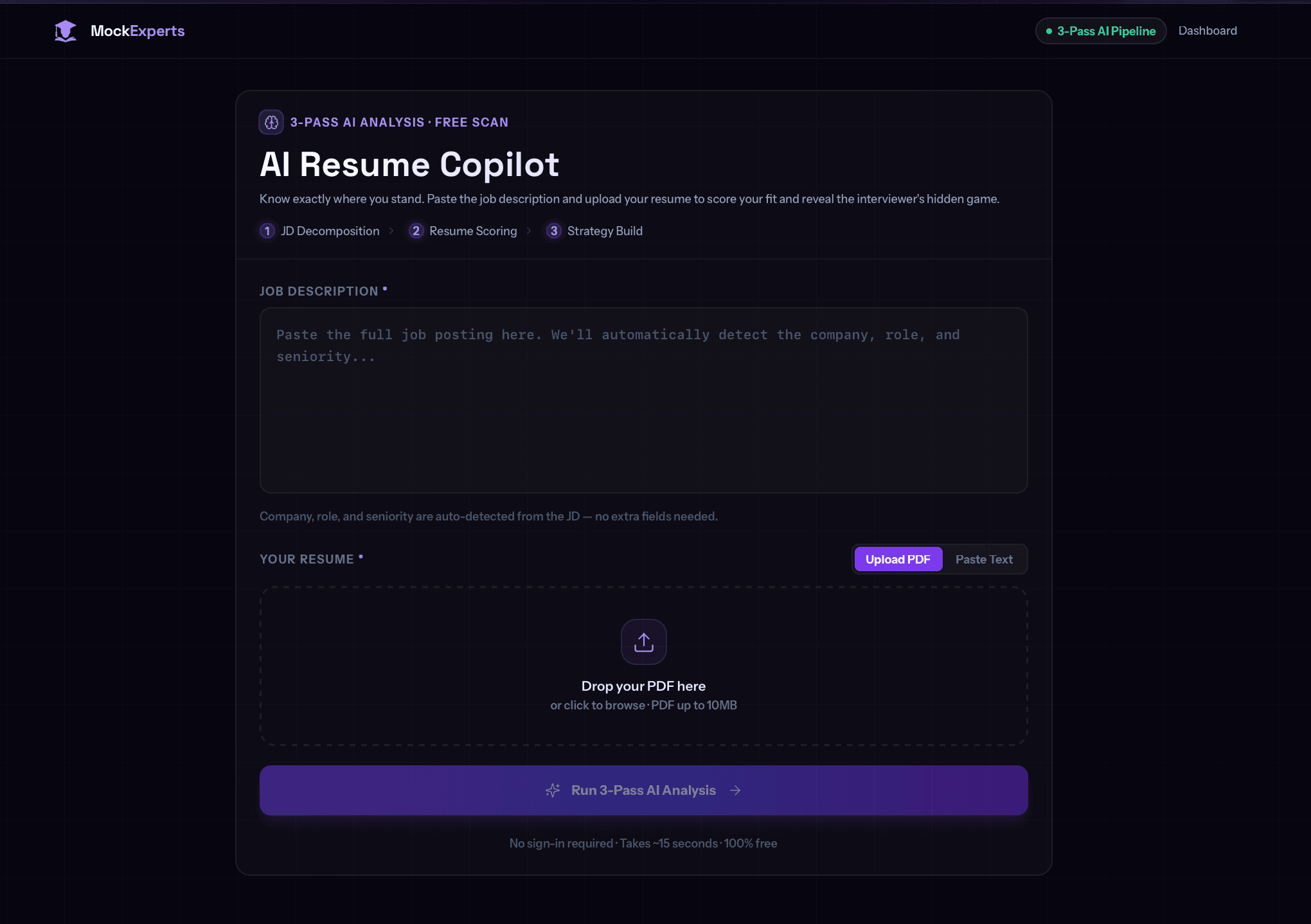
AI Resume Copilot: The 3-Pass Resume Analysis That Reveals What Interviewers Actually See in 2026
Stop guessing whether your resume will pass ATS filters. MockExperts' AI Resume Copilot runs a 3-pass pipeline — JD Decomposition, Resume Scoring, and Strategy Build — to show you exactly where you stand before the recruiter even opens your file.
 Career Strategy
Principal Engineer Interviews: Leading Without Authority and Designing for the Future
Learn how to navigate the complex world of Staff and Principal Engineer interviews, focusing on leadership and strategic design.
 Career Strategy
Mastering the Tech Offer: Negotiation Strategies for 2026
Maximize your compensation package with these battle-tested negotiation strategies tailored for the 2026 tech market.